
ChatGPT Voice is changing. What to check before December 11
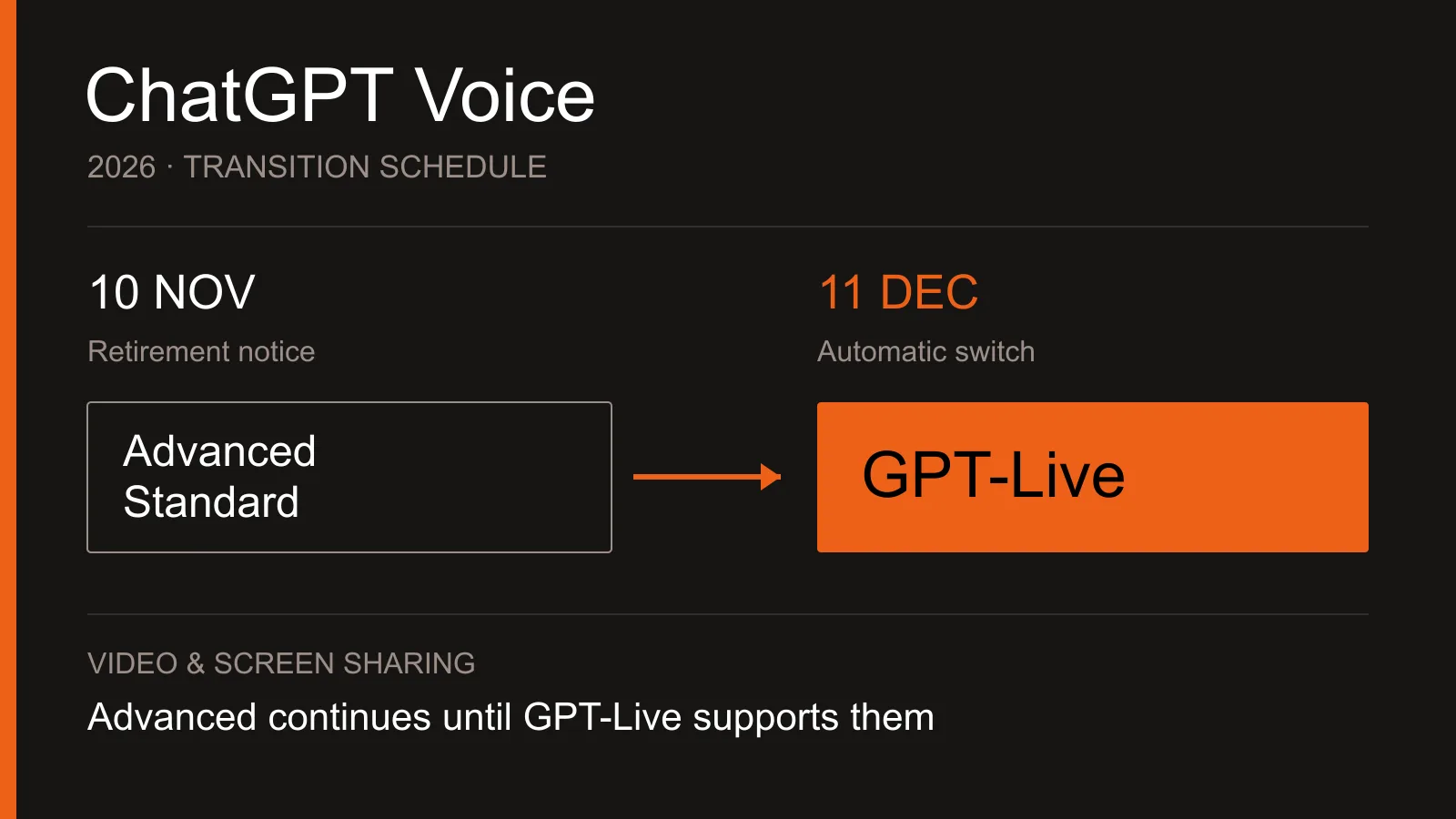
If you use ChatGPT Voice to practice a language or talk through ideas, a familiar conversation style could change. On November 10, OpenAI announced that Advanced and Standard voice will retire on December 11, 2026. This is notice of a switch to GPT-Live, not the removal of ChatGPT Voice itself.
December 11 is the changeover date
As of November 12, the transition period is still under way. People using Advanced or Standard can keep using them during this period. On December 11, both options will leave Settings → Voice. Users who have either mode selected will switch to Live automatically.
Existing voice conversations will stay in your history and can continue in text or voice. The announcement does not mean those chats will be deleted. Keeping the conversation record, however, should not be confused with keeping the old response style.
Look beyond the sound of the voice
GPT-Live can listen and speak at the same time. You can add a thought or change your question before a response finishes. The useful comparison is not just whether you like the sound, but how the conversation works when you need to explain an idea at length.
You can request time to think
You can ask Live to change its pace or response style, or to wait until you are ready for an answer. Long pauses, other people speaking or background noise can still trigger a response. Asking it to wait does not guarantee that interruptions will disappear.
If interruptions are a problem, try a quiet place or headphones first. For example, when practicing for an interview in English, try both a short question-and-answer exchange and a longer introduction. Notice the length of the answers and where turn-taking breaks down. This is an example of a practical check, not a guarantee of performance in a particular setting.
Video and screen sharing are separate
The voice change does not mean video and screen sharing will immediately move to GPT-Live. The official guidance says Live does not currently support either feature. Advanced voice will continue to power them until GPT-Live gains that capability.
That exception does not make video and screen sharing available to every account. They are supported for eligible subscribers using Advanced in the iOS and Android apps. If showing your screen is part of your routine, check the feature availability in your own app and account rather than relying on the voice model's name.
Prepare around your account and your task
Start by checking your selected mode and available options in Settings → Voice. These can depend on your plan, workplace or school settings, region, app version and parental controls. A switch to Live is not a promise of free, unlimited use. Free accounts have limited Live access, and usage allowances and additional charges depend on the plan.
Conversation and dictation serve different needs
Use Voice for a live exchange. If you want to speak a longer request, review the words, edit them and then send the result as text, Dictation is a different option. Voice transcripts may not match exactly what was said, so it is sensible to check important names and instructions in writing.
For example, discussing a travel plan and accurately submitting a prepared work request call for different ways of communicating. Before the switch, choose one task you do often and check Live's response style and the features you need. The useful preparation is to decide how to give your instructions and check the answer, rather than simply look for a replacement bearing a familiar mode name.
- #AI
- #ChatGPT
- #GPT-Live
- #Voice
- #OpenAI
More posts
Is SEO Over in the Age of AI? Comparing SEO, AEO, and GEO
Is SEO over now that people ask AI directly? Learn how SEO, AEO, and GEO differ, why they work together, how to apply them, and how to check your results.
Should You Switch Just Because Claude Fable 5.2 Is Here?
Understand who Claude Fable 5.2 is for, when Opus still makes sense, and how access and API pricing differ from a subscription.
Browser Automation Made Easier: What Aside and Ego Change
From Gemini, Claude, and Comet to Aside and ego lite: understand AI browser automation, practical tasks, and safer first steps without a coding background.