
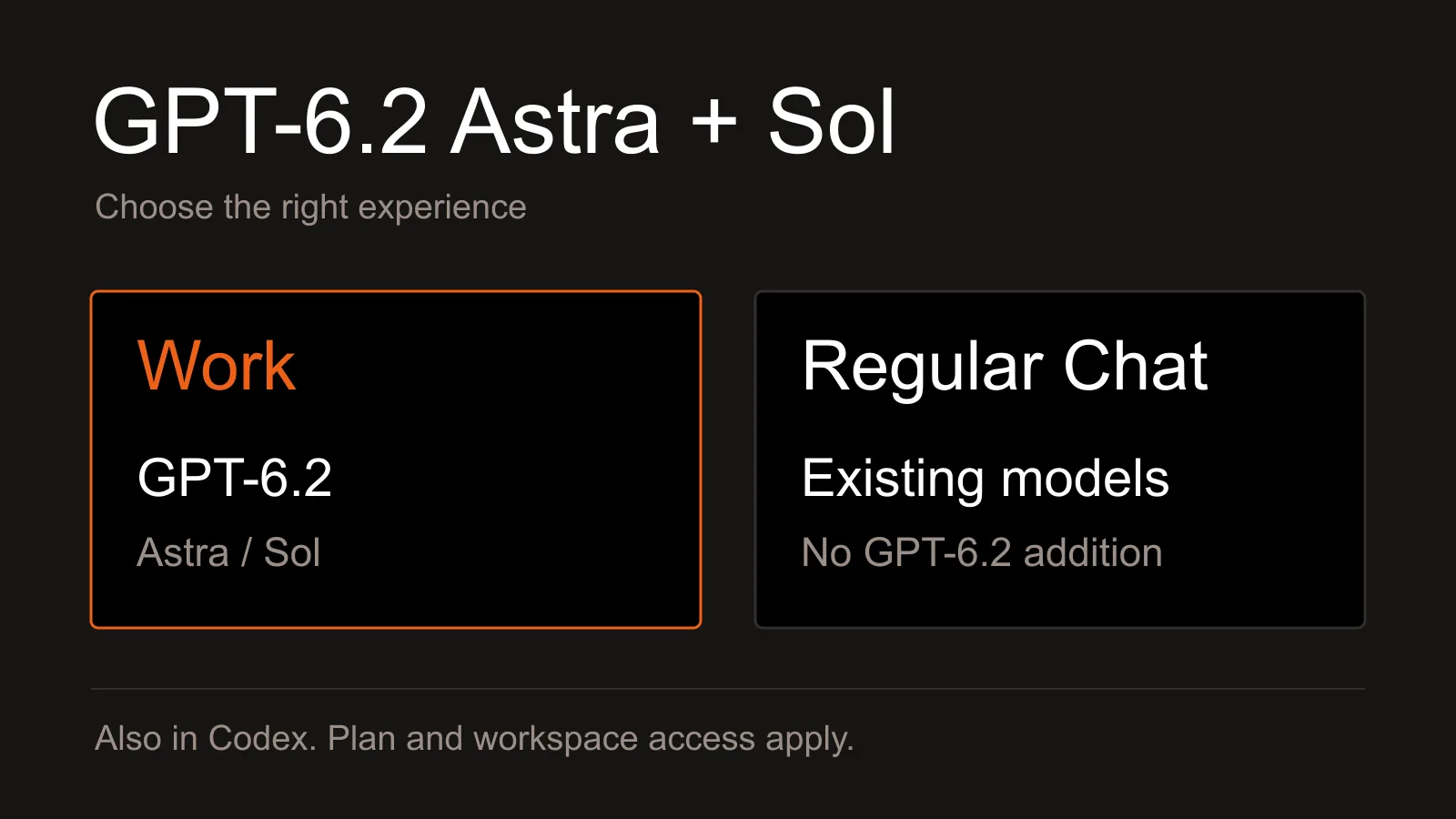
GPT-6.2 Astra and Sol belong in Work, not regular Chat
You hear that a new model is available, open ChatGPT, and cannot find its name. Before assuming the update failed, check which experience you are using. GPT-6.2 Astra and Sol are offered in Work and Codex, not added to the model list in regular Chat.
Choose the new models in Work
OpenAI introduced GPT-6.2 Astra and Sol on November 17, 2026. Its ChatGPT release notes describe them as available in preview in Work and Codex desktop. A preview is an early-access stage. An announcement does not mean every screen changes at once, and regular Chat keeps its existing model choices.
If you are not a developer, you do not need to begin by learning Codex. Work is designed for multi-step research and analysis that produce documents, spreadsheets, or presentations. Codex is a separate experience for software development. Eligible paid accounts can also use Work on web and mobile.
Check these items when a model is missing
- Open Work rather than regular Chat and check the model picker.
- Check that you are signed in to the intended account and workspace. For a managed account, ask an admin to check model permissions.
- In the desktop app, use Check for Updates in Menu, install any available update, and restart the app.
Plus and Pro users are directed to choose the models in Work or Codex. Enterprise and Edu users also need to check admin settings and seat permissions. A seat means the access assigned to an individual by an organization. The models shown can depend on the plan, seat, workspace settings, and rollout, so reinstalling the app is not a guaranteed fix.
Choose Astra or Sol for the task
OpenAI describes Astra as focused on complex professional work and Sol as focused on efficient everyday work. Better adherence to document, spreadsheet, and presentation templates and professional conventions is the company's claim. It is not a guarantee for every business document or a result independently tested for this article.
For example, Sol could be a starting candidate for turning meeting notes into a short work summary. Astra could be a candidate when you need to reconcile several sources and organize content for an existing presentation template. These are illustrative selection scenarios, not a performance comparison.
Include the criteria for a finished result
An example request can identify the source files, template, intended readers, and required sections. You could ask for an internal report draft based only on attached meeting notes, with uncertain details flagged instead of guessed, and owners separated from next actions. Leave sending or publishing until after review to distinguish drafting from execution.
You can keep the model in an existing conversation
The current help page says existing Work conversations using Astra or Sol may show an optional prompt to switch to the new default, and you can keep the current model. New Work conversations already using Astra or Sol through Default upgrade in place. Do not assume the same announcement appears when you have selected a specific model or Default uses GPT-6 Luna.
Before switching a report in progress, save the current result and compare only the parts that need revision. A new version is not a reason to rebuild everything you have already reviewed.
Check usage and completion against the actual result
The cost improvements in the announcement do not mean lower monthly subscription fees or unlimited use. Work and Codex follow plan allowances and credits, and usage varies with the task, input and output size, and settings. The question is not only which model ran, but what it actually produced.
OpenAI reported that, in two evaluations, the models were more likely to omit obstacles such as a missing file or unavailable search tool. It says Codex instructions reduced these omissions. That does not mean every answer is wrong, but a completion message is not a reason to skip checking the source material.
- Check that the requested file exists and opens.
- Compare figures and factual statements with the source material.
- Ask about unread sources or missing items, then check the result.
- Keep drafting separate from sending or publishing externally.
Even when desktop Work accesses files on your computer with permission, messages and task context may be stored in the cloud. Do not treat local work as entirely offline, and grant access only to the files needed. A useful new model is one you can access in the right experience and whose results you can review, not simply the one with the newest name.
- #AI
- #ChatGPT
- #GPT-6.2
- #Work
- #Document workflows
More posts
ChatGPT Merges Chat and Work Limits, Who Hits Caps Sooner
OpenAI is unifying Chat, Work, and Codex onto one token allowance in December. See what stays off the meter, plan reset windows, and credit pitfalls.
Claude Artifacts as Desktop Apps Still Need Online Sign-In
Claude's Nov 24 Install as app beta turns artifacts into Mac and Windows apps. See online sign-in rules, three permission tiers, update prompts, and limits.
GPT-6.2 Reaches ChatGPT Chat, With Key Plan and Picker Limits
GPT-6.2 is rolling out to paid ChatGPT Chat tabs. Learn who gets access, why selecting it hides 6 Pro, and the trade-offs noted in OpenAI's system card.