
Claude Desktop Stable does not roll back your version
For an AI app you use at work, getting new features quickly is only part of the decision. You also need familiar tasks to keep working. On November 17, Anthropic announced release-channel selection in Claude Desktop. A channel means the path used to receive new app versions, not a conversation. Switching back to Stable does not restore the version you had before a problem.
Choose between earlier updates and more testing
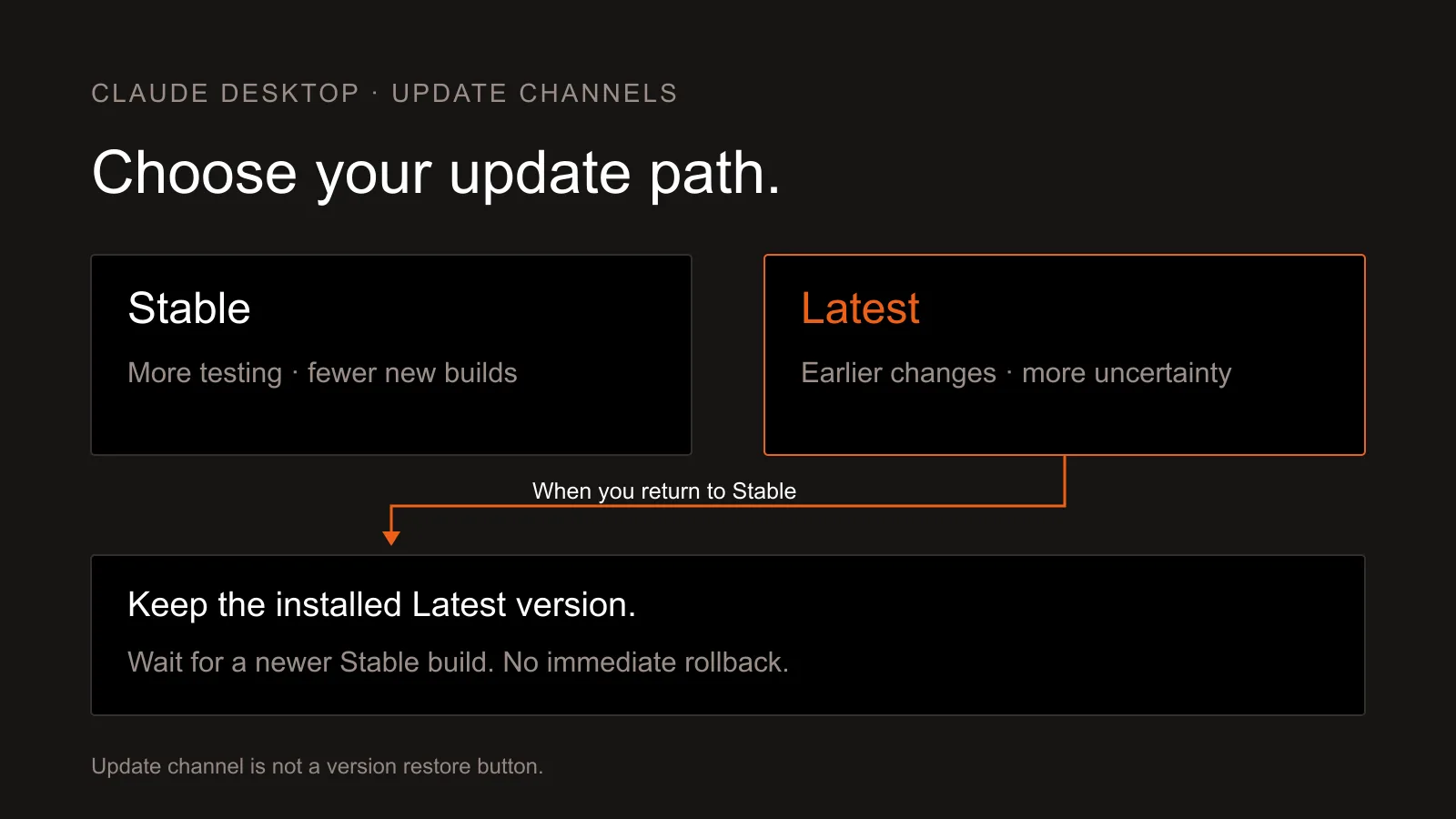
Stable is the default. It receives new versions less often, after more testing. Fixes and features can arrive a few days later than on Latest. Latest gets a new version about once a day, bringing changes sooner, but it can be less reliable than Stable. That cadence is not a promise of an update every day.
For example, on a day when you need to finish a report, keeping your existing workflow may matter more than trying a new feature. Staying on Stable is a reasonable choice in that situation. If you need a particular change sooner and have room to handle unexpected behavior, Latest is worth considering. These are decision examples, not results from a hands-on comparison of the channels.
Free accounts qualify but the installation matters
The official help page lists release channels for all plans on Mac and Windows. You do not need to upgrade your subscription just to use this setting. However, it is unavailable on Linux, Microsoft Store installations, or computers with a Claude policy set by IT. The page does not specify a separate exclusion for Korea. You still need to check your installation and device policies.
The choice applies to the computer you are using
In Claude Desktop, open Settings, go to Desktop app, and choose Stable or Latest under Release channel. The change applies to that computer the next time the app checks for updates. Do not assume changing one device also changes your other devices.
To check immediately, close Settings. On Mac, select Check for Updates in the Claude menu. On Windows, use the Help menu. While you use Latest, About Claude shows latest after the version number. Check both the selected channel and the installed version when you need to know whether an update has actually landed.
Returning to Stable does not restore an older build
Selecting Stable after using Latest does not replace the installed app with a lower version. Claude Desktop only moves to newer versions. It keeps your existing Latest build until a newer Stable build comes out. Changing the update setting and restoring the app to an earlier state are different actions.
Fixes during the wait need attention too
During that wait, you do not receive Stable updates either. That includes urgent fixes, which can contain security fixes. If a Latest update has already downloaded, it still installs when you restart, even after changing channels. Choosing Stable alone does not mean recovery is complete or that a security fix has been installed.
The official help page warns against reinstalling just to get back to Stable sooner. Reinstalling can put data stored on your computer at risk, especially on Windows. Rather than rushing to delete and reinstall the app, keep needed material safe and follow your IT team's or official support guidance.
If the option is missing check the version and policies
For an outdated app, the official advice is to update to Claude Desktop 4.29.0 or later. On a company computer with a Claude policy, the option does not appear and the app follows Stable. In a cloud-provider environment, IT sets the channel. An older Windows installer can also leave the selector grayed out.
For a grayed-out selector caused by the older Windows installer, the help page describes reinstalling, but also warns you to save anything you need first. Do not confuse that installation remedy with a shortcut to an older build after using Latest. If uninterrupted routine work is your priority, keep Stable as the starting point. Consider Latest when a specific change is worth both the earlier access and the wait involved in returning.
- #AI
- #Claude
- #Claude Desktop
- #Updates
More posts
ChatGPT Merges Chat and Work Limits, Who Hits Caps Sooner
OpenAI is unifying Chat, Work, and Codex onto one token allowance in December. See what stays off the meter, plan reset windows, and credit pitfalls.
Claude Artifacts as Desktop Apps Still Need Online Sign-In
Claude's Nov 24 Install as app beta turns artifacts into Mac and Windows apps. See online sign-in rules, three permission tiers, update prompts, and limits.
GPT-6.2 Reaches ChatGPT Chat, With Key Plan and Picker Limits
GPT-6.2 is rolling out to paid ChatGPT Chat tabs. Learn who gets access, why selecting it hides 6 Pro, and the trade-offs noted in OpenAI's system card.