
ChatGPT Space sharing does not unlock the original files
You send a colleague a link to an AI-organized work document. They may be able to open the document but not its linked files. Someone who cannot open a source file may still read its summary on that document. These are different access boundaries in ChatGPT Space.
The Plus rollout does not create public links
On November 20, 2026, OpenAI announced a global rollout of Space to Plus users aged 18 and older. That does not mean every Plus account receives it at once. If Space is still missing after you update the desktop app, it may not have reached your account yet.
For accounts with access, Space replaces Library in the sidebar as a home for pages and uploaded files. A page is an editable document; a space groups related pages and folders. Projects remain separate for organizing chats, files, and instructions. You can create and edit pages on the web and desktop, and edit them on iOS and Android. Space is still coming soon for Business and Enterprise workspaces configured to store data in Canada or the United Arab Emirates.
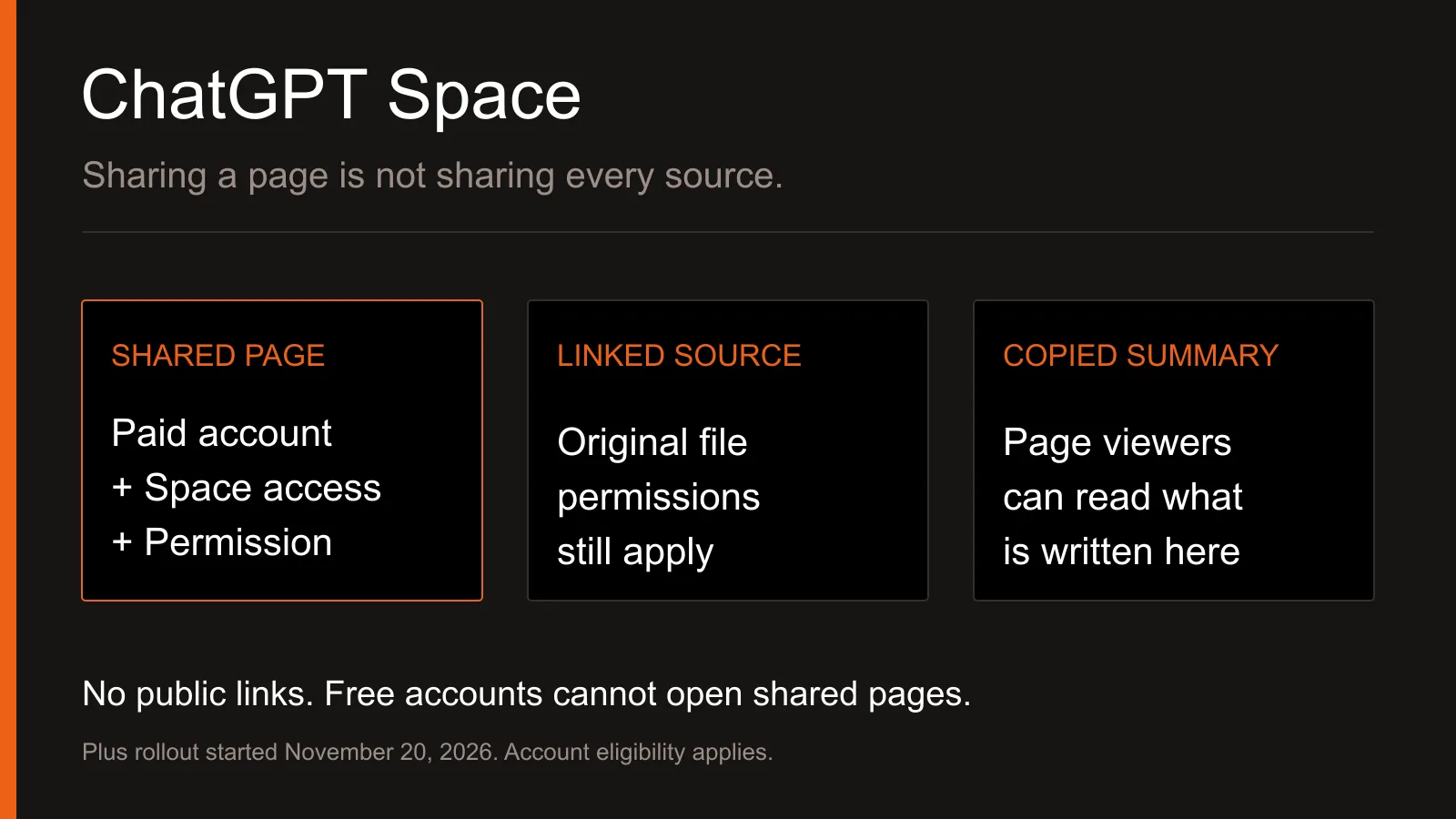
Recipients need to sign in to a Plus, Pro, Business, or Enterprise account with Space access and have permission to view the page. Free accounts cannot open shared pages, and public links are not available. Before sending a document to an external client, check their account eligibility, not just the link.
Uploading a file and linking to a file are different
Files uploaded into a page follow that page's permissions. People who can access the page can access those uploads. A link to a file stored elsewhere in Space or a connected service does not grant access to the original. Its existing permissions still apply.
A restricted source does not hide its summary
If you copy or summarize source information onto a shared page, anyone who can view the page can read that information, even without access to the original file. A private source folder therefore does not protect client names, contract terms, or internal figures once they appear in a shared summary.
Use Share to choose recipients and view or edit access. Organizational sharing settings also apply in Business and Enterprise workspaces. Subpages inherit access from their parent. Removing a direct invitation may leave access inherited from a parent page or space, so check how the person obtained access when removing it.
Choose the audience before your first shared document
For example, imagine organizing event-planning notes that are safe to share. In a Work or Codex conversation, request a page covering the goal, owners, and next steps. Open the result and check names, dates, calculations, and sources. Edit it yourself or ask ChatGPT for specific changes. Comments can carry feedback on a particular passage.
In this example, use only files that are safe to share. Check recipients' access to each linked original separately, and keep only shareable information in the summary. Distinguish people who only need to read from those who should edit, then set Share permissions accordingly.
Automatic updates do not replace content review
OpenAI says you can set pages and slides to update automatically from connected apps and tools. Slides is rolling out to eligible accounts with Space access; Sheets is still coming soon. Do not assume a missing feature is already available. Before sharing an automatically updated document externally, check its actual content and sources again.
Your settings do not govern every collaborator
Sharing a page does not itself give others access to your private chats or Memory, the personal context ChatGPT remembers. But information drawn from Memory becomes visible if it is written onto the page. A collaborator with Memory enabled may also have their ChatGPT remember shared page information.
Training preferences apply to each collaborator's use. Even if you turn training off, your contributions may be used for training when a collaborator with training enabled reads or creates shared content. OpenAI says it does not train on Business or Enterprise data by default. Before sharing Space content, check recipient eligibility, original file permissions, information actually written on the page, and collaborators' data settings together.
- #AI
- #ChatGPT
- #Space
- #Document collaboration
- #Sharing permissions
More posts
ChatGPT Merges Chat and Work Limits, Who Hits Caps Sooner
OpenAI is unifying Chat, Work, and Codex onto one token allowance in December. See what stays off the meter, plan reset windows, and credit pitfalls.
Claude Artifacts as Desktop Apps Still Need Online Sign-In
Claude's Nov 24 Install as app beta turns artifacts into Mac and Windows apps. See online sign-in rules, three permission tiers, update prompts, and limits.
GPT-6.2 Reaches ChatGPT Chat, With Key Plan and Picker Limits
GPT-6.2 is rolling out to paid ChatGPT Chat tabs. Learn who gets access, why selecting it hides 6 Pro, and the trade-offs noted in OpenAI's system card.