
Claude Meetings beta and what outside guests can see
If AI takes notes and prepares follow-up work during a client call, who gets to see the result? Claude Meetings joins as a participant to take notes and build documents. The key distinction is that the call's chat and the meeting page inside Claude are different spaces.
The organizational beta starts with Google Meet
Anthropic's November 12 announcement and release notes describe a beta rolling out to Team and Enterprise plans in Claude and Claude Desktop. Google Meet is the currently supported video platform. Other conferencing platforms are planned, so do not assume it already works with Zoom or Microsoft Teams.
Meetings is on by default on Team, and an owner can turn it off. On Enterprise, an owner enables it for everyone or selected roles. Some organizations are excluded during the beta, including those using zero data retention, known as ZDR, a HIPAA-ready configuration for protected health information, or customer-managed encryption keys, known as CMEK. A paid organization does not necessarily get immediate access. The official guidance does not give a separate rollout timetable for Korea; check the actual organization's settings and availability.
Separate the call chat from the internal record
Meet chat posts are visible to the call
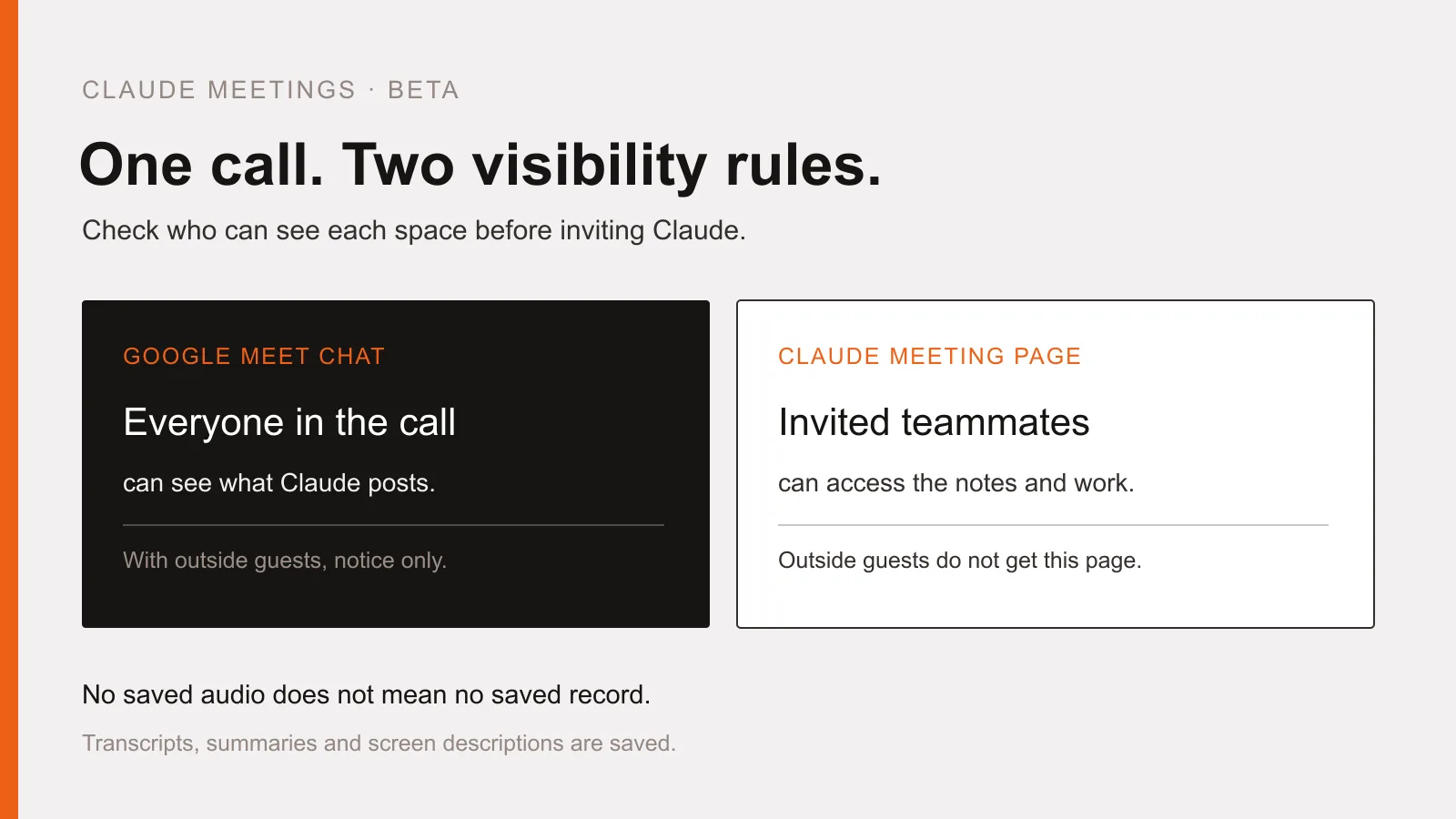
Claude appears as a participant and posts a notice in the call chat. In internal meetings, people can ask questions out loud or in Meet chat, where Claude answers in writing by default. Anything it posts there is visible to everyone on the call. Before asking it to retrieve information from a connected work tool, decide whether that answer belongs in front of the people in the meeting.
The Claude meeting page stays inside the organization
Each meeting gets a separate page inside Claude. Its chat is internal, and invited people from your organization can see the notes and edit the generated work. The page can also be shared with other people inside the organization. It is not automatically open to outside guests, but neither is it a private notepad limited to those who attended. Afterward, the page holds the summary, action items, transcript and generated work. Internal invitees receive a recap email linking to it.
Outside guests change the settings and responses
The current help article, checked on November 16, distinguishes plan defaults. Team allows meetings with outside guests by default, and an owner can disable this. Enterprise requires an owner to allow it first. When outside guests are not allowed, Claude stays out of calls with external invitees and leaves if an outsider joins partway through. Check the individual's Meetings with external guests setting as well as the organization's controls.
When outside guests are allowed, Claude listens and takes notes, but posts only its notice in Meet chat and does not answer there. Live documents, whiteboards and internal chat are on the Claude meeting page. Guests receive neither that page nor the recap email, but their speech is included in the notes and transcript. Not receiving the output is different from not being transcribed.
Start with one meeting whose participants agree
The setup below follows the official help article. Before connecting a real client call, make sure everyone agrees to having their speech transcribed into text. A visible participant and an on-screen notice are not reasons to skip that check.
- Check that the organization owner has enabled Google Calendar and Claude Meetings.
- Open Meetings in Claude and connect your Google Calendar.
- Choose one meeting from the calendar and select Add Claude.
- Review auto-join separately under Settings, Capabilities, Meetings, Auto-join. Owners cannot set it on your behalf.
For example, in an internal event-planning meeting whose participants agree, you could ask for a draft plan or a whiteboard schedule. This is a suggested use, not a report of a completed test or a guarantee of accuracy. Start with a process in which a person checks the assigned owners and action items before the call ends.
Check connected permissions and what remains afterward
When Claude uses a connected work tool, it uses the requesting person's permissions and approval. The first approval carries forward; spoken requests currently require confirmation of who is speaking each time. Owners can also control connected-tool use during meetings. Do not assume that an approval applies only to the immediate request. Decide which tools belong in the meeting before granting access.
Costs depend on the work. Notes, transcripts and answers that do not use connected tools are included on Team and Enterprise. Documents and whiteboards made during meetings are free through February 10, 2027. Connected-tool use counts toward personal usage and can lead to charges for the organization. That is not a promise that everything Meetings does stays free.
Claude saves transcripts, summaries and screen descriptions, not audio. The absence of an audio file does not mean the absence of a meeting record. Before inviting it, check participant consent, external-guest settings, who can access the internal page and which tools it may use. Those are practical starting conditions for Claude Meetings.
- #AI
- #Claude
- #Claude Meetings
- #Google Meet
- #Meeting privacy
More posts
Gemini 4 Hydrogen access is not the same as model selection
Free access to Gemini 4 Hydrogen has a condition. Learn how automatic selection differs from choosing a model, and what to check before using it for documents.
ChatGPT Wallet approval does not mean an order is confirmed
Who can use ChatGPT Wallet, how biometric approval works, and why approval is not an order confirmation. Check the merchant’s result before retrying a purchase.
ChatGPT Business Hub beta and what claiming a business changes
Understand Business Hub eligibility, Persona checks, automatic profile publication and why claiming a business does not guarantee recommendations or sales.